 By
By The Rise of ARM-Based Laptops and Smart Gadget Ecosystems in 2025
Introduction
In 2025, the landscape of laptops and connected gadgets has evolved far beyond mere spec-wars or aesthetic refreshes. What’s happening beneath the surface is a deep architectural shift—particularly the emergence of the ARM architecture in laptops and an ever-tighter integration of gadget ecosystems. This guest post delves into how this shift is redefining performance expectations, battery life, software & hardware synergy, and what it means for advanced users, creatives, developers and tech-savvy consumers.
We’ll explore five major trends:
-
ARM architecture’s ascendancy in notebooks
-
On-device AI, NPUs and gadget convergence
-
Modular accessories and unified ecosystems
-
Thermal-/power-optimized ultrathin machines for creators
-
Advanced connectivity (USB-C, Wi-Fi 7, docking) and gadget chaining
Then we wrap with a FAQ addressing deeper nuances and future-looking questions.
1. ARM Architecture’s Ascendancy in Notebooks
What’s changing
Traditionally, laptops have relied on x86 (x86 architecture) processors from vendors like Intel Corporation and AMD. But in recent years the ARM architecture (originally dominant in smartphones/tabs) has made serious inroads into the notebook market. Experts predict 2025 will mark the year ARM significantly challenges x86 in portable computing. Many ARM-based laptops already deliver 20 + hours of battery life and serious performance gains.
Why it matters for advanced users
-
Battery & thermal headroom: ARM’s RISC (reduced instruction set) design yields lower power consumption and less heat generation. That means thinner machines, quieter fans, longer unplugged sessions.
-
New workloads: On-device NPUs (neural processing units) and tighter hardware-software integration mean creative workflows (e.g., real-time AI video editing, photo batching, live streaming) get a boost beyond raw CPU/GPU clocks.
-
Software ecosystem shift: While compatibility remains an issue (some legacy x86 software still needs emulation), many major apps now have native ARM versions or optimized builds. This creates an opportunity for advanced users to re-architect their workflow around newer hardware rather than optimize around legacy constraints.
Key considerations
-
Compatibility caveats: If you rely on niche plug-ins, drivers or legacy tools built only for x86, careful testing is advised.
-
Thermal vs performance trade-off: Some ARM notebooks prioritise battery life over sustained high-wattage workloads (e.g., serious 3D rendering or heavy GPU compute) so pick hardware based on your use-case.
-
Ecosystem lock-in: ARM machines are often part of broader platforms (pre-tuned hardware + OS + firmware) so upgrade paths and repairability may vary compared to traditional modular PCs.
2. On-Device AI, NPUs and Gadget Convergence
What’s happening
One of the less-discussed but highly impactful gadget trends is the integration of dedicated NPUs in laptops (especially ARM-based ones) and the convergence of gadgets into seamless workflows. For instance: your laptop, tablet, smartphone, smart display and accessories now often share AI acceleration, data-sync and ecosystem control far beyond what was possible a few years ago.
Why advanced users care
-
Real-time generative tasks: On-device AI allows creative tasks like video-thumbnail generation, speech-to-text live, object removal in photos, ambient noise cancellation for streaming—all without offloading entirely to the cloud.
-
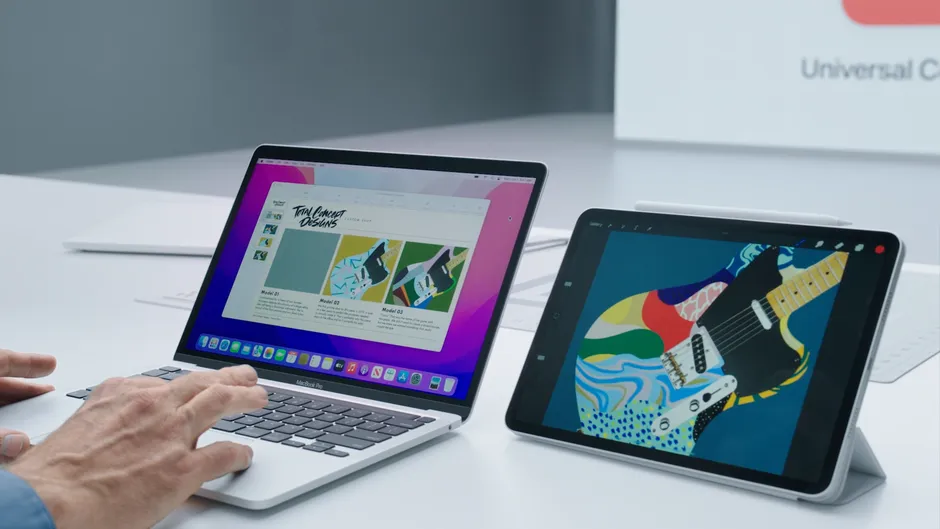
Unified gadget orchestration: For example, you could use your smart display as a second screen, your laptop’s NPU to process live feed, and your smartphone as a field-capture device—all coordinated in your gadget ecosystem. This elevates what “gadgets” mean from standalone devices to a choreographed workflow.
-
Privacy & latency: On-device AI reduces dependency on cloud latency and mitigates some privacy concerns. For creators working on-site, on-device acceleration means fewer workflow interruptions.
Implementation tips
-
Ensure the laptop supports dedicated NPU/AI accelerator and that software in your workflow takes advantage of it (check toolchain, plug-in support).
-
Map out your gadgets as workflow nodes (capture device → compute device → display/stream device) rather than independent islands.
-
Pay attention to software-hardware co-optimisation: Drivers, updates and compatibility matter more when you’re leveraging new AI features.
3. Modular Accessories and Unified Ecosystems
The shift in gadget accessories
Gone are the days when a laptop was simply a computing device and accessories were optional add-ons. Now, advanced gadgets are engineered to interconnect: docking stations with multi-ports, external GPU/enclosure modules, USB-C hubs with power delivery for laptops, and smartphones that act as capture/input devices for laptops.
Why this matters
-
Extendability: You can transform a sleek ultrabook into a full workstation when docked—with external GPU, multiple monitors, audio interfaces, etc.
-
Reduced redundancy: Your laptop, tablet and smartphone can share accessories (e.g., a universal dock, multi-port hub, high-speed external SSD)—reducing device count and weight for mobile professionals.
-
Ecosystem coherence: Brands are increasingly offering accessory ecosystems that are tightly integrated (firmware-level features, unified app control, seamless switching). This means fewer compatibility surprises and smoother workflows.
Best practices
-
Choose a laptop with robust port flexibility (Thunderbolt/USB-C + USB-A + HDMI/DisplayPort) so your accessory investments are future-proof.
-
Prioritise accessories that can serve multiple devices rather than single-purpose ones.
-
Evaluate firmware update support for docks/hubs and ecosystem hubs to ensure long-term reliability.
4. Thermal- and Power-Optimised Ultrathin Machines for Creators
Trend overview
With ARM architecture and accessory ecosystems maturing, ultrathin laptops are no longer just for light productivity—they are now viable for serious creative workflows. Laptops under 1.4 kg with 3K/4K OLED displays, effective cooling, and high-end RAM/SSD configurations are increasingly available.
What this means for advanced users
-
Mobility without compromise: Creative professionals can carry a laptop that’s lightweight yet capable of photo/video editing, audio production or mobile development.
-
Display as a performance tool: With high-quality OLED (100% DCI-P3 gamut, 0.2 ms response, high refresh) you get accurate previews on the go.
-
Sustained workloads: Good thermal management means less throttling during heavy tasks like rendering, streaming or compiling large codebases.
What to check
-
Cooling design (e.g., dual-fan, vapor chamber) and whether the thin form factor sacrifices sustained performance.
-
Display quality (colour accuracy, refresh rate, brightness) especially for creators.
-
Upgradeability or serviceability (RAM/SSD accessible? battery replacement possible?)—even ultrathin machines benefit from modular mindset.
5. Advanced Connectivity: USB-C / Thunderbolt, Wi-Fi7, and Gadget Chaining
Why connectivity matters more than ever
As gadgets multiply and workflows become distributed (laptop, tablet, smartphone, external capture devices, monitors), the quality of connectivity is a differentiator. USB-C and Thunderbolt allow high-speed data + power + display over one port. Wi-Fi 7 and next-gen Bluetooth improve wireless input/output.
Benefits for the advanced user
-
Single-cable docking: Plug in one cable and connect to multiple monitors, external SSDs, audio interfaces, charge the machine, and control other gadgets.
-
High-throughput data transfer: External capture devices (4K/8K cameras, high-res audio interfaces) demand high bandwidth—modern connectivity enables this.
-
Wireless gadget chaining: With Wi-Fi 7 and Bluetooth LE, laptops can serve as central hubs, routing data to tablets or smartphones instantly without cables.
Checklist for gadget connectivity readiness
-
Ensure the laptop has at least one Thunderbolt 4 (or newer) port and supports USB-C Power Delivery of at least 65 W (or enough for your usage).
-
Confirm Wi-Fi 7 or Wi-Fi 6E support for future-proofing.
-
If you use external monitors, check for DisplayPort 1.4/2.0 support or adequate HDMI versions via USB-C.
-
Consider cable and hub management: invest in high-quality USB-C/TB cables that support full spec throughput and power.
Conclusion
The laptops and gadgets of 2025 are not simply “better” versions of yesterday—they reflect a major shift in architecture, workflow integration and device interconnectivity. For advanced users—creators, developers, mobile professionals—the convergence of ARM-based performance, on-device AI, modular accessory ecosystems, ultrathin creator laptops, and high-speed connectivity opens up a richer set of possibilities.
If you’re ready to rethink your gadget ecosystem—not just buy “one more laptop”—the time is ideal to choose hardware and accessories that work together, scale with your workflow, and give you both mobility and performance.
FAQ – Frequently Asked Questions
Q1. Are ARM-based laptops compatible with all Windows software?
Not completely. While support has improved and many apps now offer native ARM versions, some legacy or niche software still relies on x86 architecture and might run under an emulator (with potential performance or compatibility impacts). It’s wise to check your key tools before migrating fully.
Q2. How much does on-device NPU/AI acceleration matter for creative workflows?
Quite a bit for certain tasks. If you’re doing tasks like background removal, voice processing, video effects, or live streaming, a dedicated NPU can offload those tasks from the CPU/GPU and enable faster, more efficient workflows. But if your workflow is purely CPU/GPU bound (e.g., heavy 3D rendering), the NPU alone won’t replace high-end GPU power.
Q3. With ultrathin laptops, is there a trade-off in cooling or performance?
Yes. Ultraportability often means less thermal headroom than thicker machines. For bursty workloads, you’ll likely be fine; for sustained heavy tasks, check reviews to see whether the machine throttles under load. For highest performance you may still want a “thicker” machine or external GPU option.
Q4. When investing in accessories and docks, what should I prioritise?
Prioritise:
-
One high-quality dock/hub that supports your laptop today + future devices
-
High-speed ports (Thunderbolt, USB-C) and power delivery
-
Multi-device compatibility (laptop, smartphone, tablet) so your accessories aren’t siloed.
Q5. Will the shift to ARM architecture make x86 laptops obsolete?
Not immediately. x86-based laptops still serve many workflows, especially where legacy software, high-end discrete GPUs, or specific industry tools are required. But for many advanced users seeking efficiency, battery life and modern workflows, ARM is becoming a very viable alternative.
Q6. How does Wi-Fi 7 and high-speed connectivity affect the laptop/gadget ecosystem?
High-speed connectivity reduces bottlenecks: faster sharing between devices, smoother wireless video streams, quicker external capture data transfers. It means your gadget ecosystem can rely more on wireless links and less on physical cables—improving flexibility and mobility.
Q7. What should advanced users look out for when choosing a laptop now to maximise future-proofing?
Look for:
-
Processor architecture that supports on-device AI (NPUs)
-
High-quality display (OLED, high refresh, wide colour gamut) for creators
-
Extensive port options including Thunderbolt/USB-C, and potential for external GPU or docking
-
Strong accessory and ecosystem support (firmware updates, hubs, accessories that support multiple devices)
-
Wifi 6E/7 and Bluetooth 5.x or newer for gadget chaining.